
Description
Give Your Favourite Photo a Place on the Wall
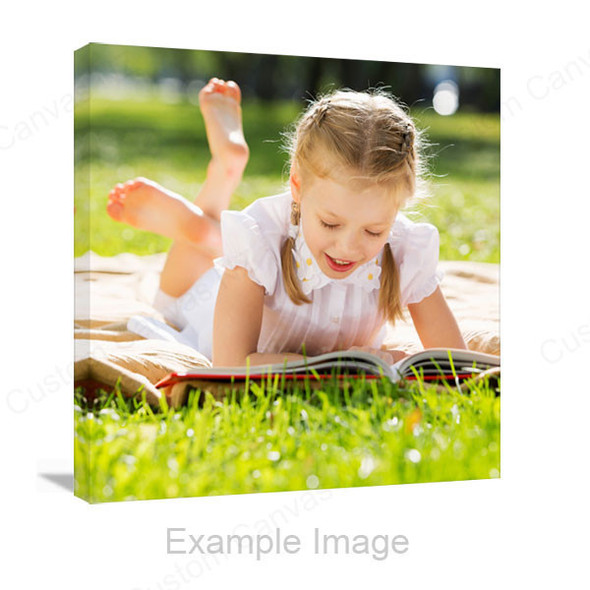
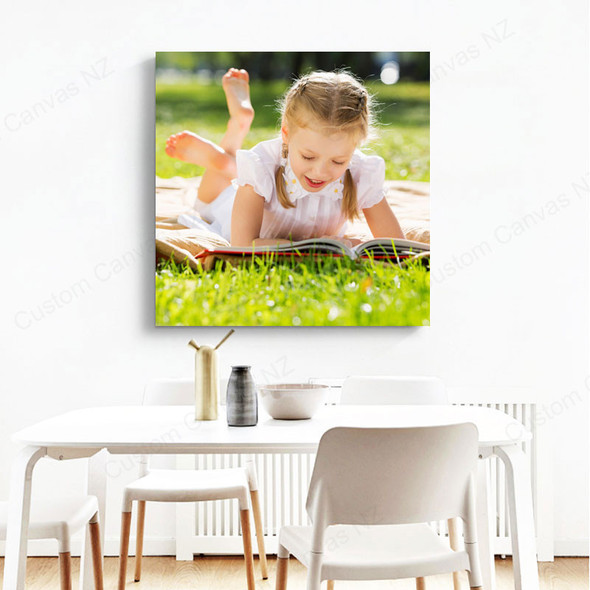
Create a personalised aluminium photo print from a family portrait, wedding photograph, pet photo or favourite landscape. A clean panel presentation keeps the photograph at the centre of your display.
Choose the size and orientation, preview the crop online and select a hanging method to suit your composition. From a square portrait to a wide travel photograph, start with the shape of the image you want to keep.

Choose the Photograph You Want to See Every Day
People & Pets
For family, wedding and pet photographs, look for sharp eyes and natural expressions. Leave enough room around heads, faces and the edges of a group when checking the crop.
Landscapes & Travel
Match the print proportions to the scene. A wide view may suit a panoramic size, while a tighter crop can focus on a coastline, building or another detail you want to feature.
Black & White Photography
A monochrome photograph can emphasise shape and contrast. Check that detail remains visible in the darkest and lightest parts before applying a black-and-white image effect.
Choose the Photo Shape Before the Print Size
The right proportions help you keep the composition intact. Compare your photo’s shape with the available sizes, then decide how large it should appear on your wall.
| Shape | Available sizes (cm) | Photo consideration |
|---|---|---|
| 3:2 rectangle | 20 × 30 · 30 × 45 · 40 × 60 50 × 75 · 60 × 90 |
A starting point for a photograph already cropped to 3:2. |
| 5:4 rectangle | 40 × 50 | A less elongated shape; check the edges of a wider original. |
| 1:1 square | 30 × 30 · 40 × 40 · 50 × 50 60 × 60 · 75 × 75 |
For square compositions or a carefully chosen crop. |
| 2:1 wide format | 30 × 60 · 40 × 80 | For a wide scene with enough height around the subject. |
| 3:1 panoramic | 20 × 60 · 30 × 90 | For a long, narrow view; check that key details fit the crop. |
Example: a 3:2 photo matches the proportions of 40 × 60cm. Changing that photo to 40 × 40cm changes the shape, so some edge content may be cropped when filling the square. Check faces, horizons and important details in the preview before saving.
Measure the intended wall space as well as the image. A paper rectangle can help you judge the size from your normal viewing position. For another size, ask us about your requirements.
Start with the Best Original Photo
Keep the Detail You Have
- Use the original camera or phone file where possible.
- Avoid screenshots, social-media downloads and compressed message copies when a better original exists.
- Check the subject is in focus before choosing a large print.
- Remember that a tight crop uses only part of the original image.
Check Quality for the Chosen Size
A photo that looks clear on a phone may show softness when enlarged. File dimensions, focus and cropping matter together; a DPI label alone cannot tell you whether a photo will print well.
If you are unsure, send us the photo and intended print size. We can help assess suitability before you order.
For a large original file, contact us about supplying it by email or a download link. Keep the original rather than reducing it just to make an upload easier.
Check the Colour and Viewing Position
Choose an Image Effect Intentionally
Keep the original colours for a natural photographic look, or select an available effect such as Black & White or Sepia Tone. Review skin tones, shadows and highlights after making a change.
Colour Effect changes the image. It does not select a different panel surface; an image filter named Soft Matte is not a physical matte-finish option.
Look at the Light on Your Wall
A smooth photo surface can catch reflections from a window or lamp. Check the intended position from where you normally view it and consider moving it away from a direct reflection.
The online preview helps you check layout and cropping. It cannot reproduce the exact printed colour or the way room lighting affects the finished surface.
Choose How Your Photo Will Hang
The hanging method affects both the finished display and the space you should leave around important parts of the photograph.
Metal Bracket

The bracket sits behind the panel, keeping the fixing arrangement away from the front of the photograph. Check that your wall and chosen fixings suit the installation.
Silver Bolts
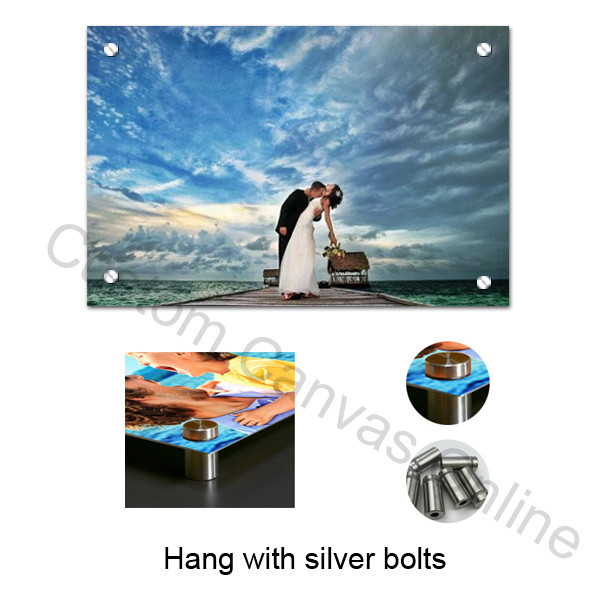
Round silver fixings are visible near the corners. Keep faces, small text and other important details clear of those areas when arranging your photo.
No Hanging System: choose this if you plan to arrange a suitable mounting solution yourself. This describes the hanging-system selection; specify any hole requirements separately. For exact fixing positions or supplied-parts details, confirm the arrangement before ordering.
Create Your Aluminium Photo Print Online
Select the Options
Choose the size, orientation, image effect and hanging method. Start with the photo’s proportions and the space available on your wall.
Upload & Check the Crop
Click Upload Photos & Design, upload your photograph and check its position. Review faces, edges and any text before saving the design.
Review & Order
Check your saved design, selected size, hanging method and quantity. Review the delivery address and cart details before completing payment.
Delivery Across New Zealand
Our current delivery information lists NZ$9.95 per order within New Zealand. Production and delivery timing depends on your order and destination.
Ordering a gift or working towards a particular date? Confirm the current timing before ordering. Include the size, quantity and delivery location so we can advise on your order.
Aluminium Photo Prints FAQs
Practical answers about image quality, cropping, personalisation and mounting.
Make a Favourite Photograph Part of Your Home
Choose your size and hanging method, upload the original photo and review your composition before ordering.
Want to compare materials and styles? Browse Metal Prints or explore Brushed Aluminium Prints. For logo, lettering and graphic layouts, see Custom Aluminium Printing.