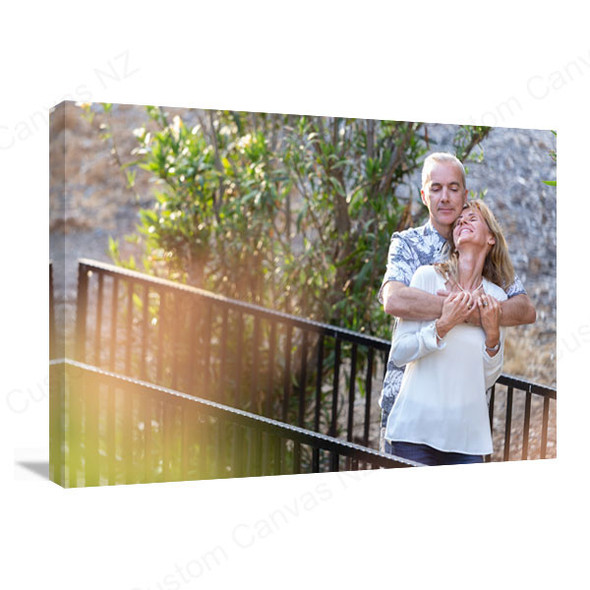
Description
Make Brushed Aluminium Texture Part of Your Picture
Create wall art where the aluminium surface is part of the look. Brushed aluminium prints combine your photograph with fine directional metal grain for a textured, metallic presentation.
Choose this style when you want to see the material’s character as well as the image. Select the size and orientation, arrange your photograph online and choose the hanging method for your display.

What Makes a Brushed Aluminium Print Different?
A Directional Metal Grain
The brushed surface has fine lines running in a direction. This is a feature of the aluminium surface; adding a digital image filter does not create the same physical material.
A Metallic Visual Character
The grain and reflected light contribute to the appearance of the picture. How prominent the texture looks varies with the image, the printed areas and the light falling on the panel.
An Intentional Creative Choice
Choose the brushed look when the metal texture suits your composition. Consider white details, skin tones and colour expectations as part of that choice, rather than judging only the image on your screen.
Choose an Image That Suits Visible Texture
Start with the mood and structure of the picture. These are ideas to explore, not restrictions on the photographs you can upload.
Black & White
Explore strong shapes, architecture or a monochrome landscape. Check that detail remains in the highlights and shadows, and decide whether the metal grain belongs in the final look.
Buildings, Cities & Details
Geometric lines, machinery and architectural details can complement a visible metal surface. Keep verticals, horizons and the final crop intentional.
Landscapes & Abstract Colour
Coastlines, wide views and graphic colour compositions offer different ways to combine an image with texture. Review large pale areas and important colour transitions carefully.
Portraits can also suit this style. If a particular skin tone, white detail or colour match is essential, send us the image and intended result before ordering.
Check White, Pale Colours & Important Details
The brushed grain describes the surface. The appearance of white and coloured areas also depends on the panel background and the way the image is printed.
| In your image | What to consider |
|---|---|
| White clothing, clouds or lettering | If these must remain visibly white, tell us before ordering so we can confirm how those areas will be reproduced. |
| Pale backgrounds and subtle gradients | The surface and reflected light may affect their appearance. Decide whether the metallic character suits these quieter parts of the image. |
| Portraits and specific colours | Review the desired skin tones or colour requirements. A screen image alone cannot show exactly how the material will look in your room. |
| Dark areas and fine detail | Use an original with visible shadow detail and sharp edges. A textured presentation cannot restore detail missing from the source image. |
Plan for the Light in Your Room
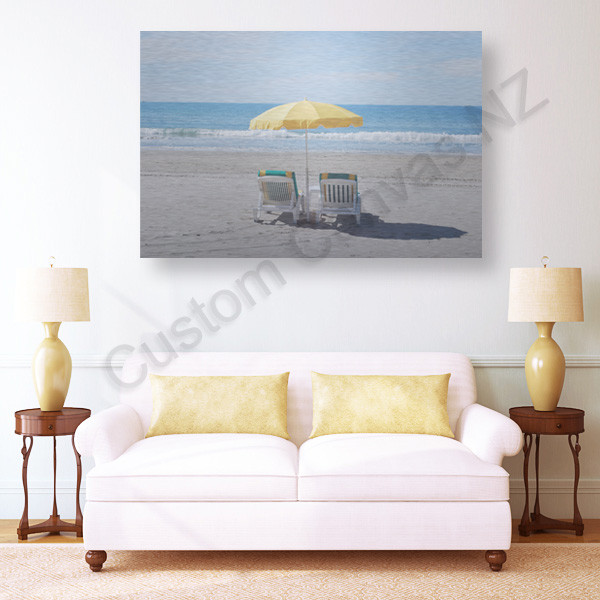
View the Surface from Your Usual Position
A directional metal surface can look different as the viewing angle or lighting changes. Check where windows and lamps will fall in relation to the panel.
Choose a position that lets you enjoy the photograph and grain without a distracting direct reflection. Measure the wall space from your normal viewing distance before deciding on the size.
The brushed texture is a material feature. It should not be treated as a promise that the surface is matte or free from reflections.
Choose a Size That Preserves the Composition
There are 15 listed sizes across five proportions. Match the shape of the image first, then consider its scale on the wall.
| Proportion | Available sizes (cm) | Composition idea |
|---|---|---|
| 3:2 rectangle | 20 × 30 · 30 × 45 · 40 × 60 50 × 75 · 60 × 90 |
For an image already arranged to a 3:2 shape. |
| 5:4 rectangle | 40 × 50 | A more compact rectangle; check how the crop changes from a wider original. |
| 1:1 square | 30 × 30 · 40 × 40 · 50 × 50 60 × 60 · 75 × 75 |
For square compositions or a deliberate crop. |
| 2:1 wide format | 30 × 60 · 40 × 80 | For a wider view with room around the main subject. |
| 3:1 panoramic | 20 × 60 · 30 × 90 | For a long, narrow scene with a carefully checked crop. |
Check the crop and grain separately. Changing from a rectangle to a square may remove content at the edges. Portrait or landscape selects the panel orientation; if a particular grain direction is important to your design, confirm that requirement before ordering.
Choose the Hanging Method
Decide whether you want the fixing arrangement behind the panel or visible at the corners. This affects how you position important details in the image.
Metal Bracket

The bracket is positioned behind the panel. Check the mounting arrangement and use fixings suited to your wall and installation.
Silver Bolts
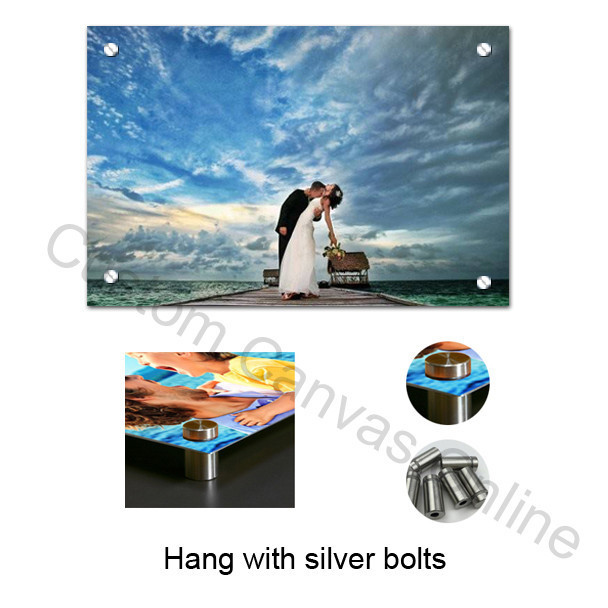
The round silver fixings are visible near the corners. Leave faces, small text and important image details clear of those positions.
These images illustrate the fixing arrangements. Use the brushed-print example above to assess the intended surface appearance.
No Hanging System: choose this if you plan to arrange a suitable mounting solution yourself. Specify any hole requirements separately. For exact fixing positions, mounting clearance or supplied parts, confirm the details before ordering.
Prepare Your Image & Design Online
Use the original photograph or a high-quality export. Check focus, fine lines and the selected crop at the size you want to print. A screenshot or compressed copy may have lost detail that a larger original still contains.
Select Your Options
Choose the size, orientation, image effect and hanging method. Keep the original colours unless you intentionally want a different image treatment.
Upload & Arrange
Click Upload Photos & Design. Review the crop, edges and any text, then save the layout. Record any agreed special instructions in the order notes.
Review & Order
Check the saved design, size, hanging method, quantity and delivery details before payment. For a large file or uncertain image quality, contact us for advice.
Preview the layout, consider the material. The online editor helps you check placement and cropping. It cannot reproduce the exact brushed grain, reflected light or finished print colours. Image effects, including Soft Matte, change the image rather than select a physical panel finish.
Brushed Aluminium Prints FAQs
Answers about surface texture, image choice and ordering.
Choose a Photograph with the Metal Surface in Mind
Select the size and hanging method, arrange your image and create a display where the brushed texture is part of the finished look.
Compare the Metal Prints range or explore Aluminium Photo Prints. For logo, lettering and commercial graphic panels, see Custom Aluminium Printing.